
NB! Riktig post om it’s:learning er her. Kort- URL: http://bit.ly/learning
@replies aren’t really that difficult to understand. But Twitter either didn’t explain them at all (on the Notices-tab), and when they did explain it, on their help page, it was way too detailed and full of technical jargon. (Quick fix/suggestions further down)
There is a lesson in here. And it is NOT the same lesson that was told to Facebook after their recent redesign, i.e. «Listen to your users» or «Don’t fix it if it isn’t broken«.
The lesson for Twitter and other sites is this:
- Just say it like it is
- Show them what you mean
Just say it like it is
For instance, why not have radio buttions in stead of a dropdown menu? You could have the same three options, but with a more straight-forward language. The technicalities and details should be in the extended help information, ending up with something like this on the settings page:
@replies
Your timelime shows tweets from the people you follow, but they can be filtered in three ways:
- Quiet Show all tweets, except those that are replies
No tweet beginning with «@username» will show up in your timeline - Standard Show all tweets, except those that are replies to people I do not follow
A tweet beginning with «@username» will only show up in your timeline if you follow this user - Noisy Show every tweet from the people i follow
Whether the tweet begins with «@username» has no effect
Tweets with your username will not be affected by this.
Compare this with what it used to look like. Not really very informative:

Supposedly, Twitter-users who had the «all @replies»-setting turned on, were more likely to stop using Twitter. Too much noise and information, caused by the fact that they didn’t know what they were doing when opting in.
The explanation for the reply-settings (had to find a Google cache of the help page as this has now been taken down) was really, really, really long. They’re getting really detailed, but that just makes it all the more difficult to understand.
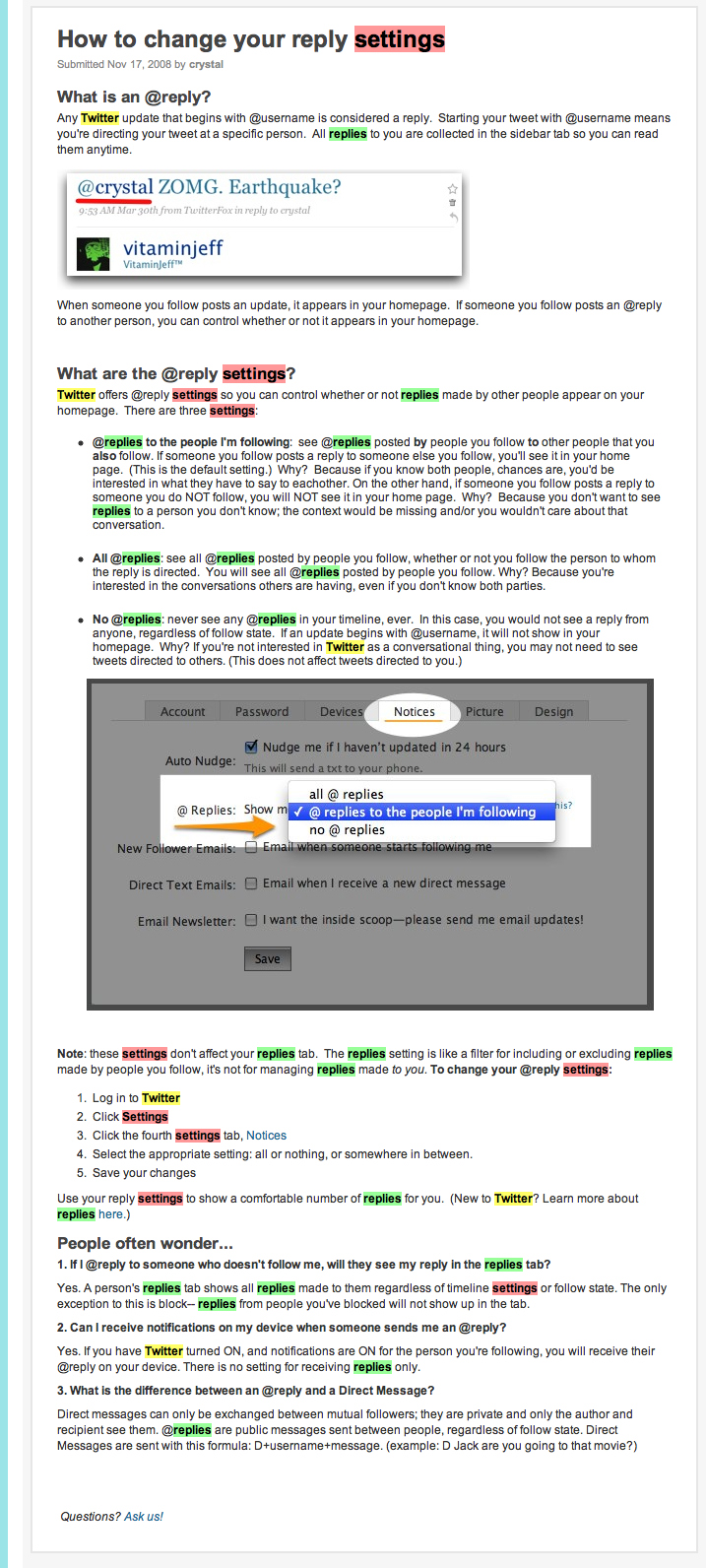
Show them what you mean
This is something Flickr does really well. Not only are they good at using straight-forward language like «Recent activity» and «Organize», when I select how I want my photostream page layout, they show me what it would look like:

This way, it doesn’t really matter if I did not know what sets or collections are. Flickr just shows me.
The same thing could be done with the Twitter timeline. Why hide these settings away, when you could instead let the users see the immidate results of the changes? Explanations combined with seeing some tweets appearing and reappearing according to the option you choose, I so much better than a lengthy help-post.
What do you think?
Is the changes in replies just an excuse because of scalability, or is it about confusion, as the first post said?
And am I making a good point here at all?
I do not know much about scalability, but if they do not make it possible for me to turn back on «show all @replies», I will instead have to follow a whole lot more people to get the same experience. Wouldn’t that be just as hard a strain on the servers?
Update
Twitter says @replies are not coming back, but per-user-settings might be implemented and later some sort of apology, also adressing the «flawed product design».
I also remembered that I read an excellent post about Twitters awful new notification bar.
I first discovered the changes at Pleasure & Plain, who explains the changes very well.
If you want to stay updated on this, I’d suggest checking out Mashable, ReadWriteWeb and TechCrunch.


 Ida Aalen
Legg igjen en kommentar